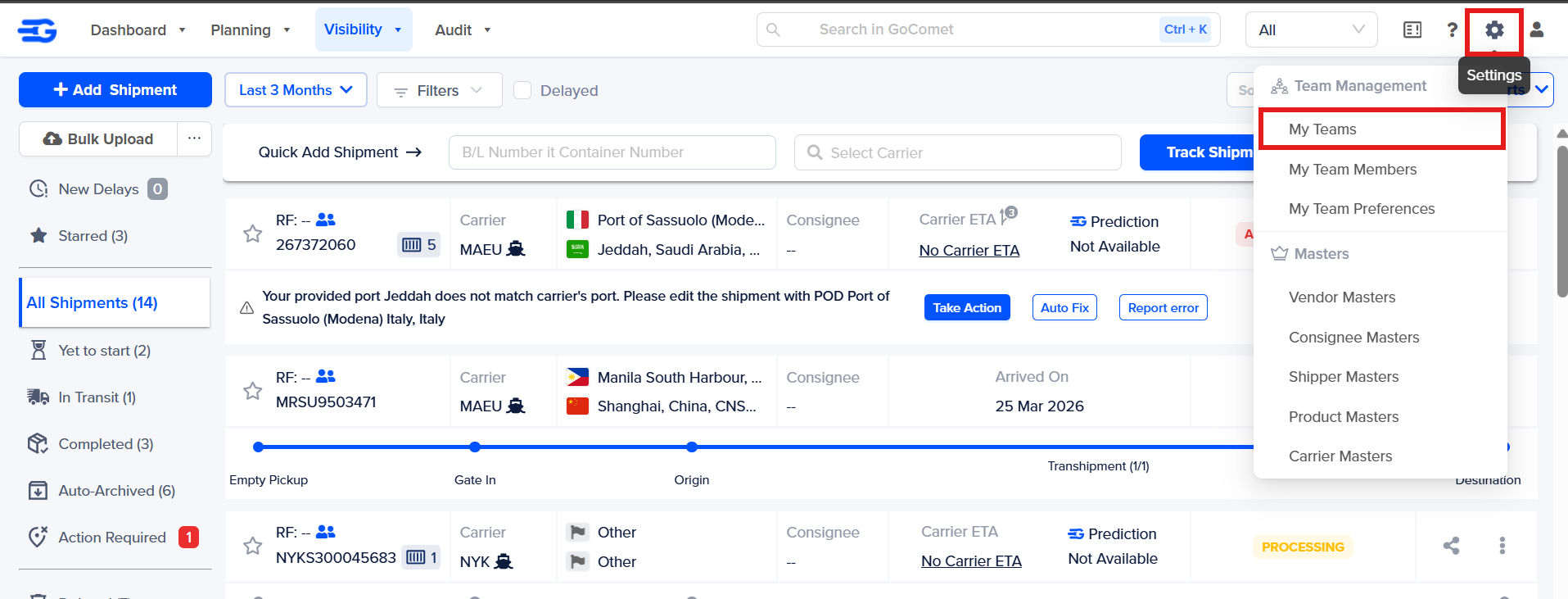
Step 1 – Login to your GoComet account. Hover on the settings icon and click on "My Teams"
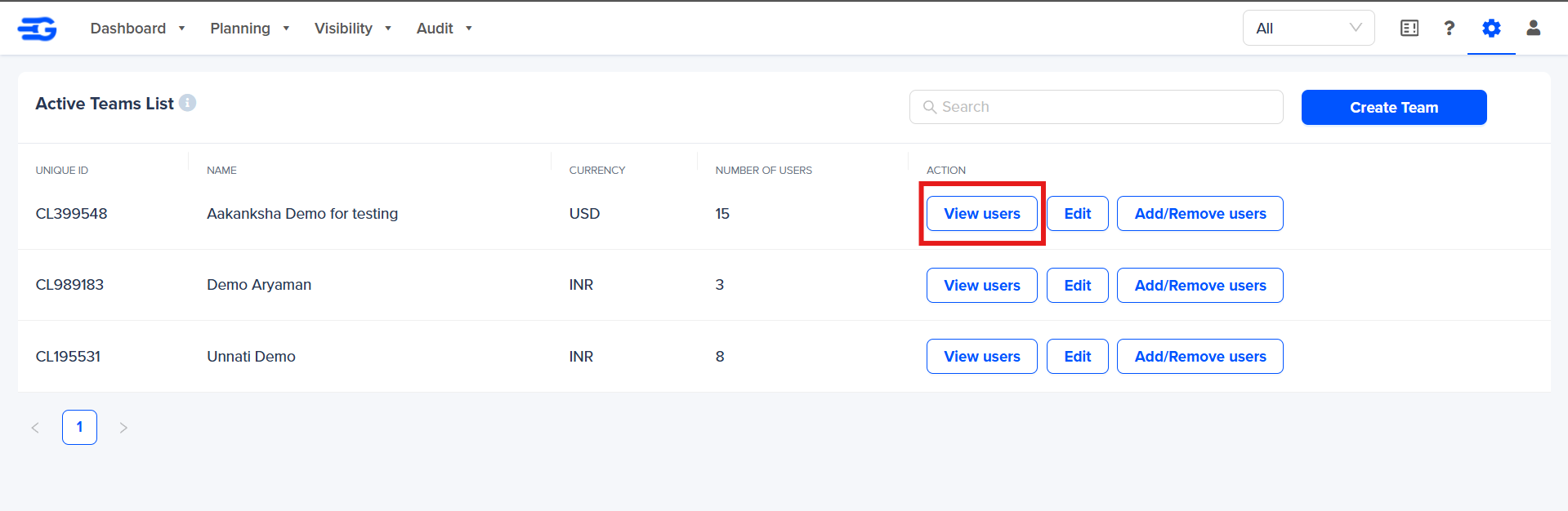
Step 2 - Click on “View Users” to view the user list of the specific team
Step 3 - Click on “Add Existing User”

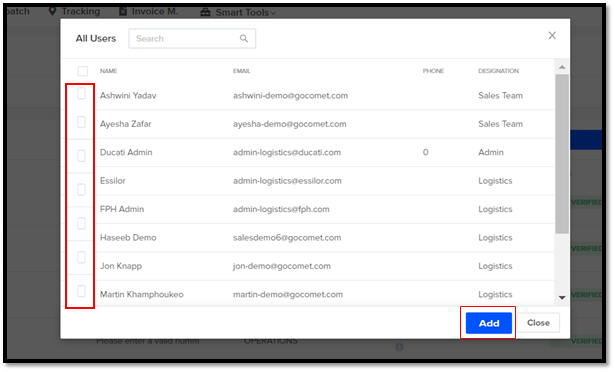
Step 4 – A pop-up menu of “All Users” will appear with the list of existing users and can be added to the respective team by clicking on the check box on the left side and then Click on “Add”
A small notification will pop-out “Success – “Users added to group successfully”
Was this article helpful?
That’s Great!
Thank you for your feedback
Sorry! We couldn't be helpful
Thank you for your feedback
Feedback sent
We appreciate your effort and will try to fix the article