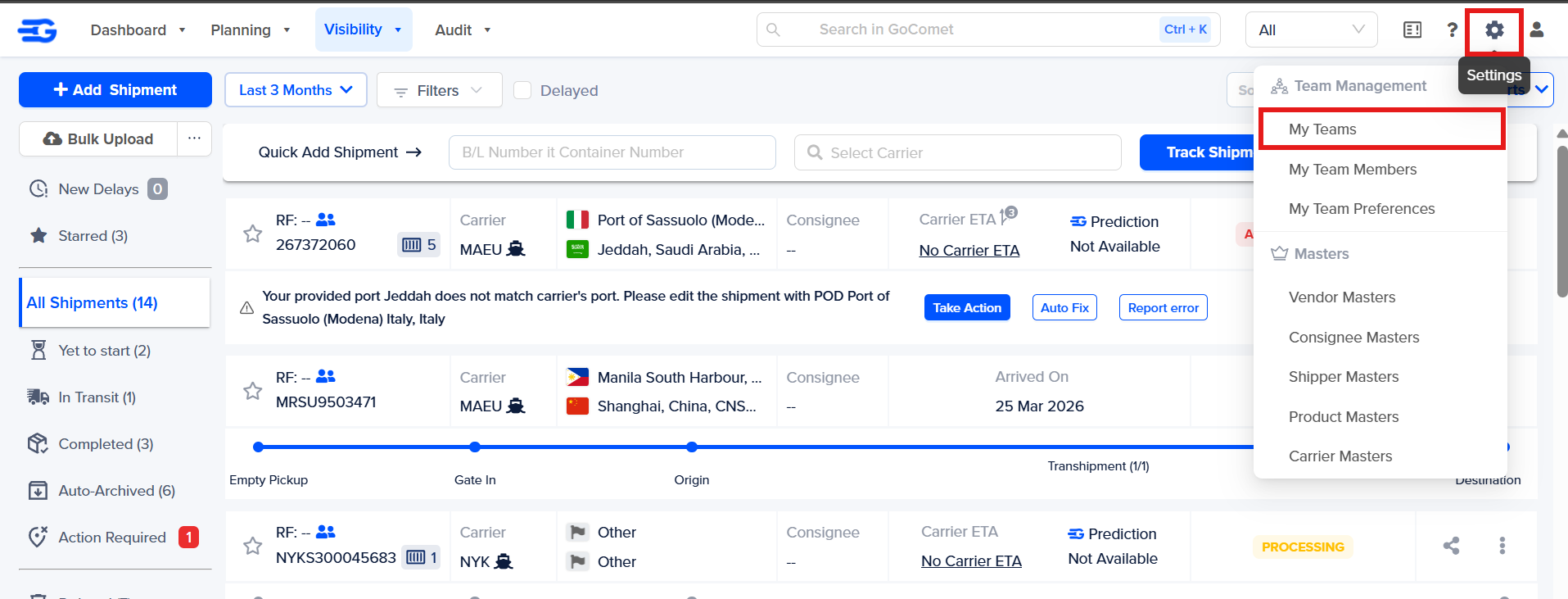
Step 1 – Login to GoComet account. Hover on settings icon and click on "My Teams"
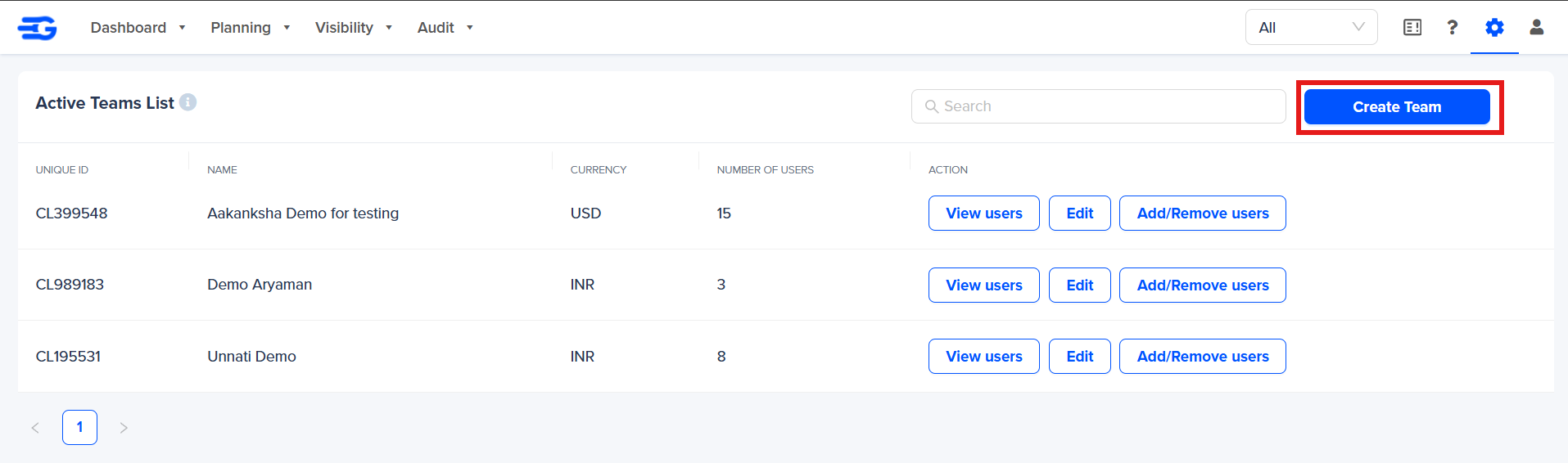
Step 2 – Click on "Create Team"
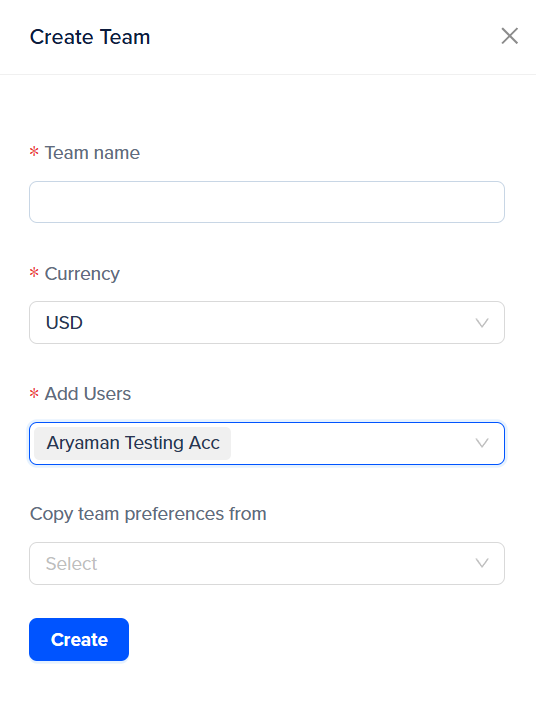
Step 3 - A side menu pop up will appear as below with the title “Create Team”
Fill in the details as shown below
Team name (Mandatory) – Select a team name or company name
Currency (Mandatory) – Select the currency
Add Users (Mandatory) – Add users of your team
Click on “Create” button.
Step 5 - A new team will be created and it will be visible under the “Active Teams list” when you click on "My Teams"
Was this article helpful?
That’s Great!
Thank you for your feedback
Sorry! We couldn't be helpful
Thank you for your feedback
Feedback sent
We appreciate your effort and will try to fix the article