You can send email notifications to your Shipper/Consignee following the below-mentioned simple steps.
This will ensure that your Consignee(s)/Shipper(s) receive an email notification every time a milestone is achieved or completed. This will also give a view option to the tracking to your Consignee.
Video tutorial on How to send Tracking notifications to your Shipper/Consignee?
For additional clarity you can also refer to the steps mentioned below -
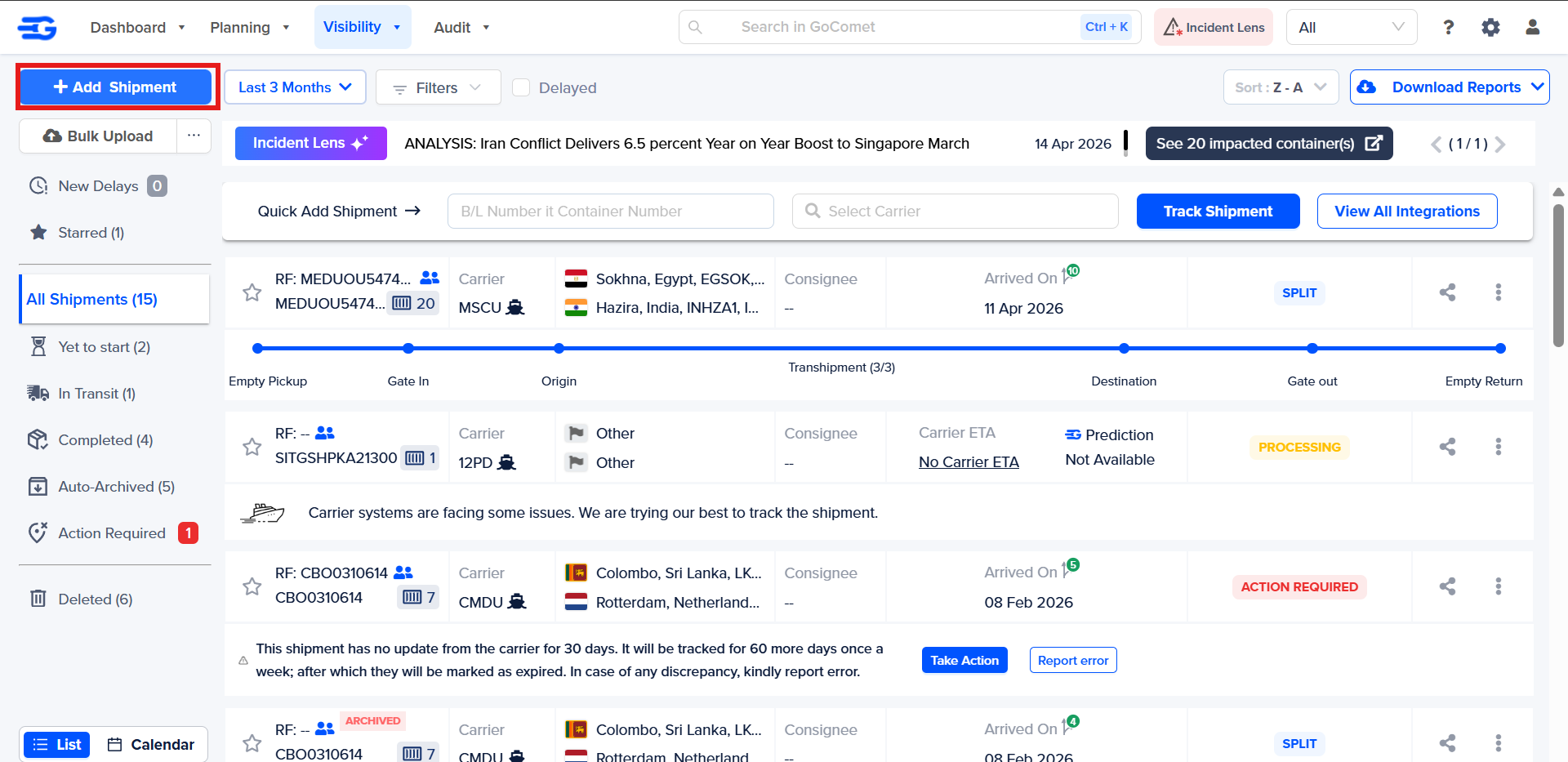
Step 1: Login to the GoComet platform and navigate to “GoTrack” as highlighted below -
Step 2: Click on “Add Shipment” as shown below.
Step 3: To share the tracking details with your Shipper/Consignee, add in the Consignee Company Name drop-down as highlighted.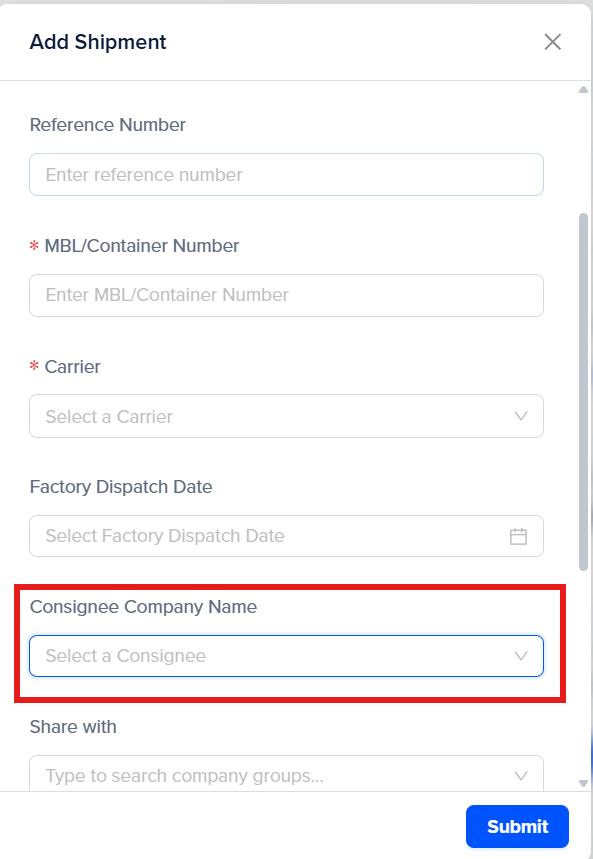
To add the “Consignee Group”, a consignee needs to be added on to the platform through Consignee Master.
To learn more about adding Consignee Groups to the platform, please refer to our article on “How to add a new Consignee/Shipper?” on the platform.
Step 4: Once you add the desired consignee company, click on “Submit”. The Consignee will be notified about the tracking details.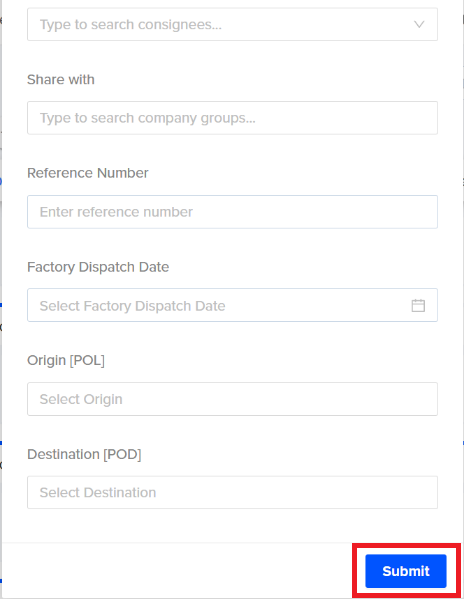
Was this article helpful?
That’s Great!
Thank you for your feedback
Sorry! We couldn't be helpful
Thank you for your feedback
Feedback sent
We appreciate your effort and will try to fix the article