If the shipment is already added to the platform
1. Click on the "3 vertical dots" button at the extreme right end of the shipment. Later click on the "Edit" button.

2. The system will display the Edit Shipment form consisting details of the shipment. In the edit form, there is a field "Share with", where the user can add multiple teams by writing the name of the team in the box.
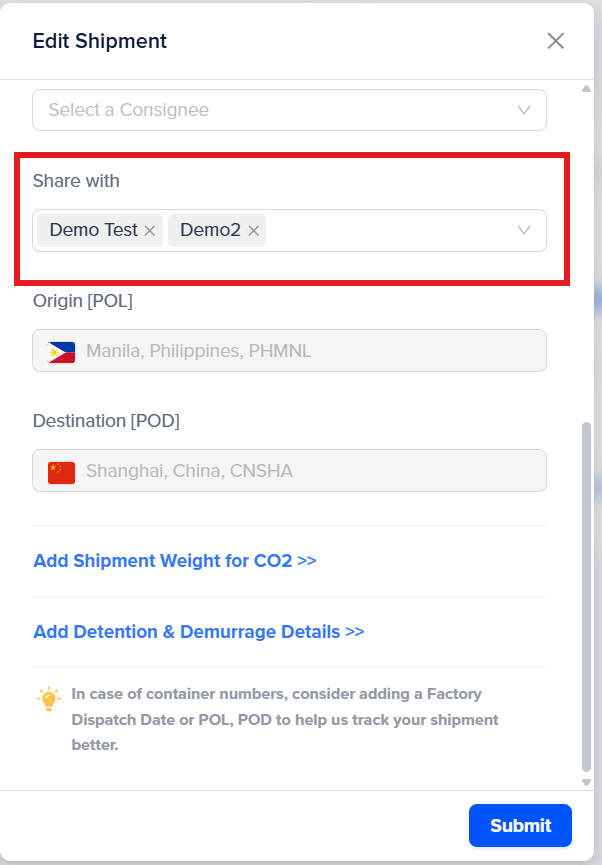
3. Once the name of the teams are selected to whom the shipment needs to be shared, click on the "Submit" button.
The shipment which is shared with any group will be seen as below.

Was this article helpful?
That’s Great!
Thank you for your feedback
Sorry! We couldn't be helpful
Thank you for your feedback
Feedback sent
We appreciate your effort and will try to fix the article