Video tutorial for downloading reports
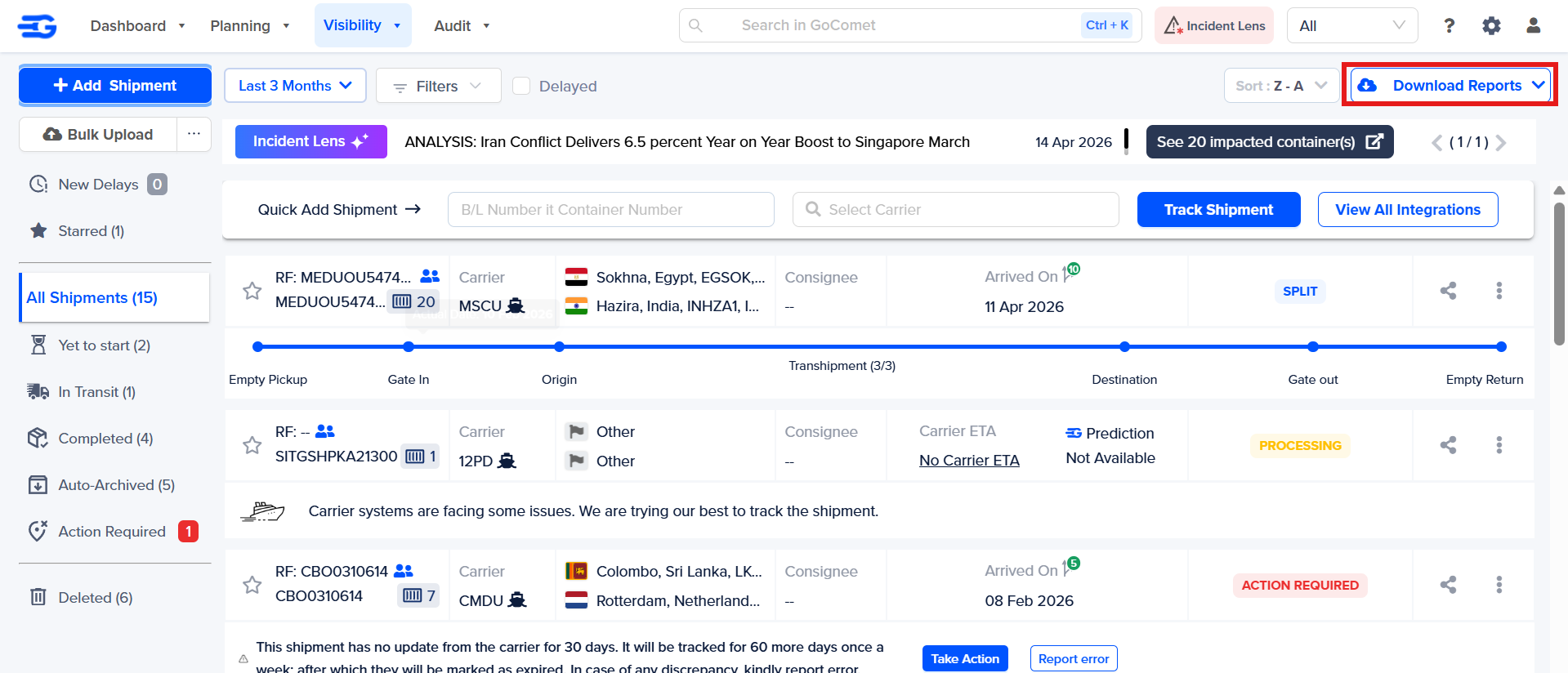
Step 1 - To download reports click on the “Download Reports” button on the top right corner
Step 2 – A drop-down list of reports will appear as follow:-
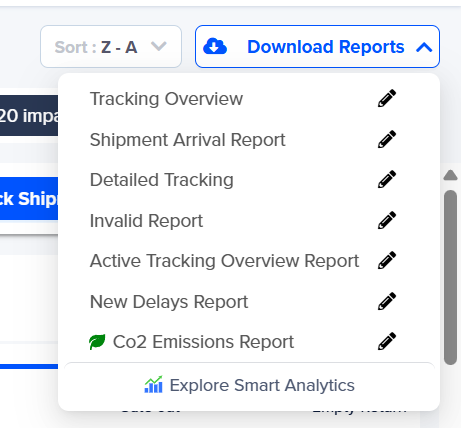
Tracking Overview Report: This report shows the overview of the tracking uploaded on the platform which consists of containers that are in transit, their current status, current location, next update, etc.
Shipment Arrival Report: This report shows the containers that are arrived or the containers which are about to arrive at the destination port.
Detailed Tracking Report: This report gives all the in-depth details of all the containers present on the platform.
Invalid Report: This report will show the list of shipments that are unable to track along with the reason for their invalidity.
Active Tracking Overview Report: All of your Active Trackings
Detailed Tracking Report: All of your shipments with unread ETA changes in last 7 days
You can hover over the report name and find what the report shows. Click on the report to download it in excel format.
Was this article helpful?
That’s Great!
Thank you for your feedback
Sorry! We couldn't be helpful
Thank you for your feedback
Feedback sent
We appreciate your effort and will try to fix the article