1. Log in to your GoComet Account: Login
2: Hover on Profile icon and click on "Notification Preferences" 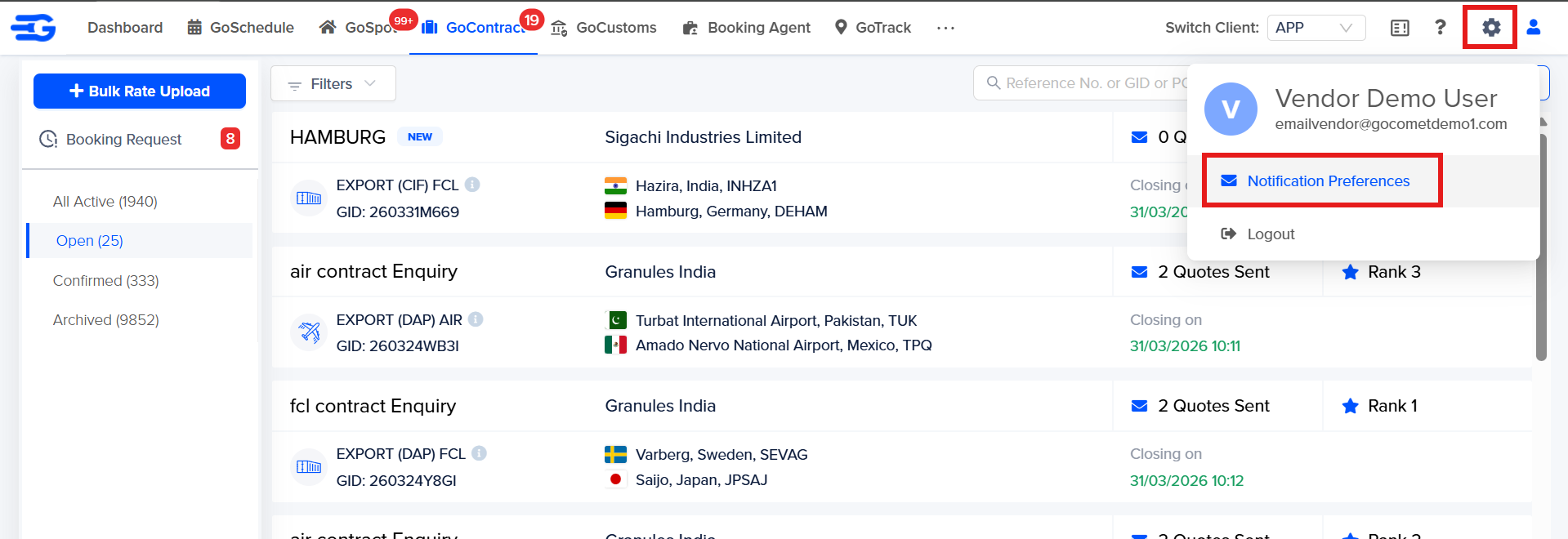
3. Disable the notification alerts which are required to be stopped by clicking on the check box and click on "Save preference"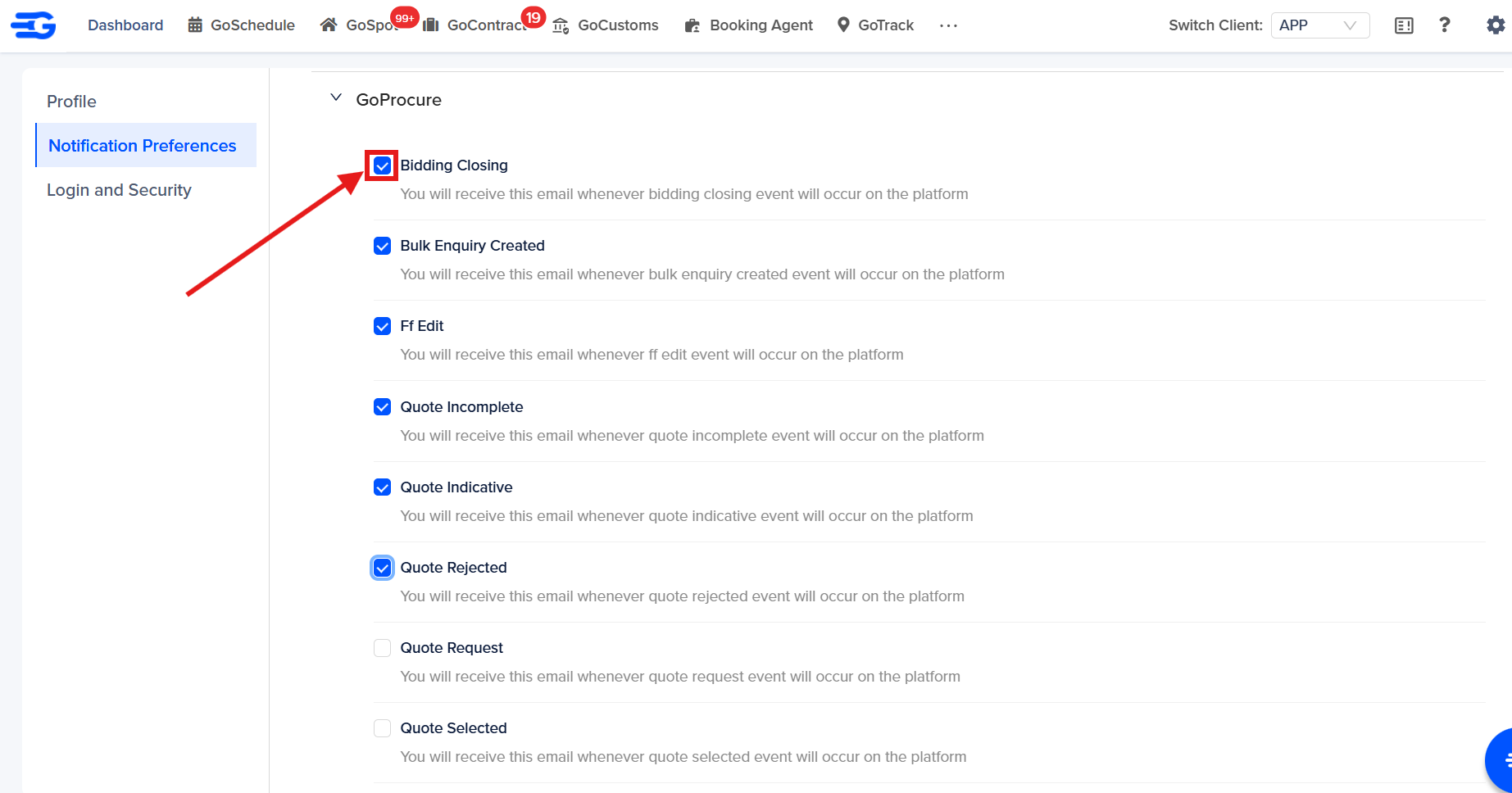
Once you disable it from here, that particular notification will be stopped for the user. Please reach out to our support team for further concerns regarding this at support@gocomet.com
Was this article helpful?
That’s Great!
Thank you for your feedback
Sorry! We couldn't be helpful
Thank you for your feedback
Feedback sent
We appreciate your effort and will try to fix the article