Video walk-through on how to apply filters -
For better understanding, you may also refer the steps as mentioned below -
Step 1 - Shipment trackings can be filtered in various ways. One way is to filter the shipments by the tags given as shown below:
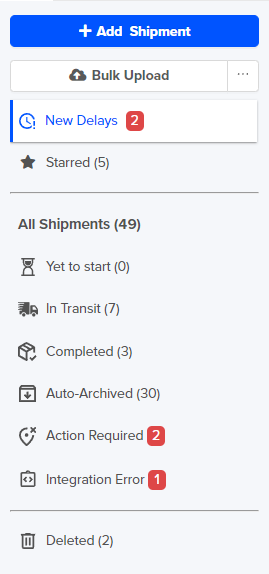
The detailed description of the filters are given below in a tabular format.
Step 2 In order to apply the advanced filters Click on the “Apply filters” button
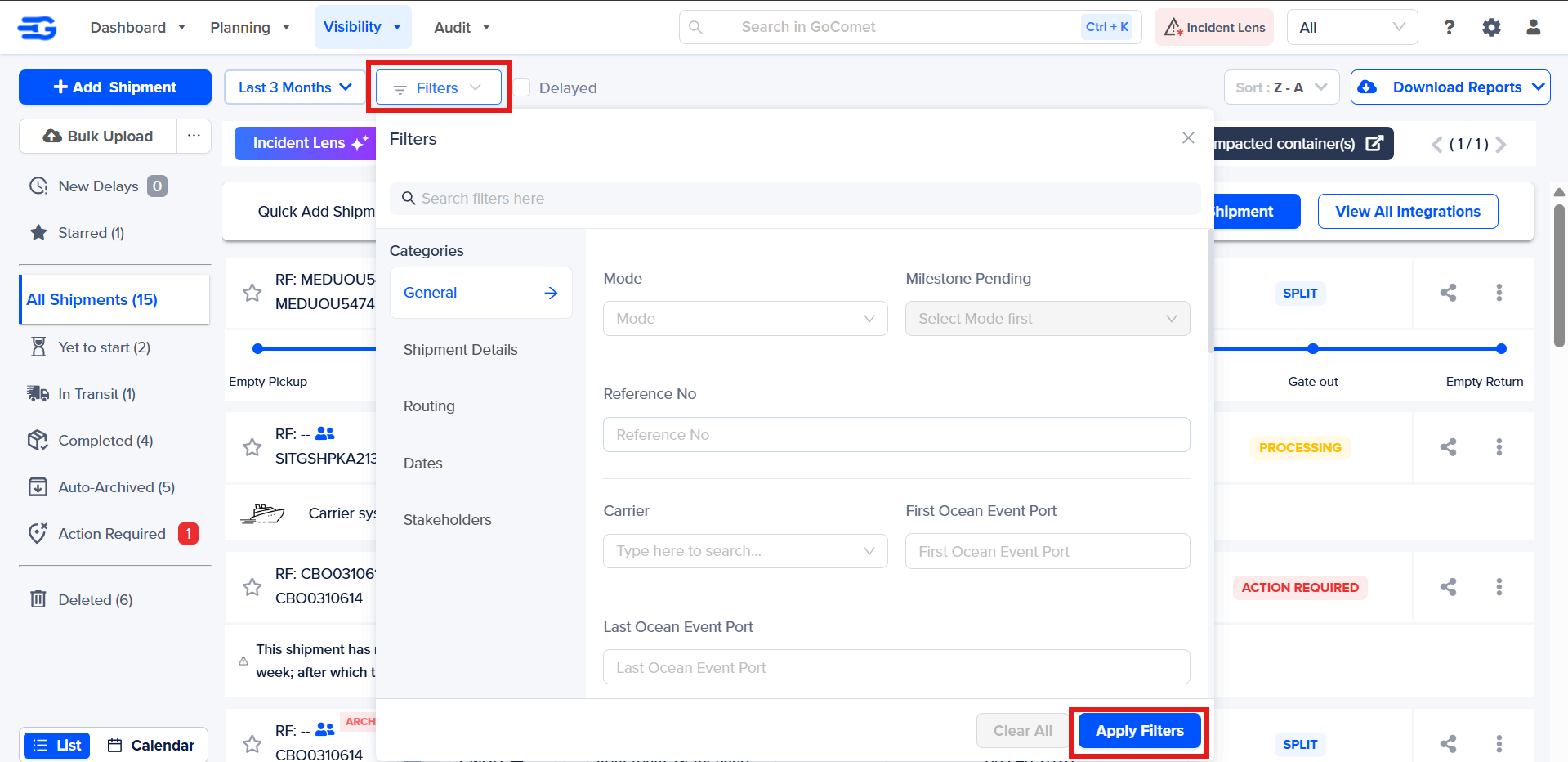
Step 3 - Fill in the details such as origin, destination, carrier, origin region, destination region, mode, Shipments arriving after or before, consignee group, etc. as per your requirements.
Once all the details are filled in, click on the “Apply filters” button.
Also, in order to clear all the details, click on the “Clear All” button.
Was this article helpful?
That’s Great!
Thank you for your feedback
Sorry! We couldn't be helpful
Thank you for your feedback
Feedback sent
We appreciate your effort and will try to fix the article