Containers displayed on the dashboard are shown as follows: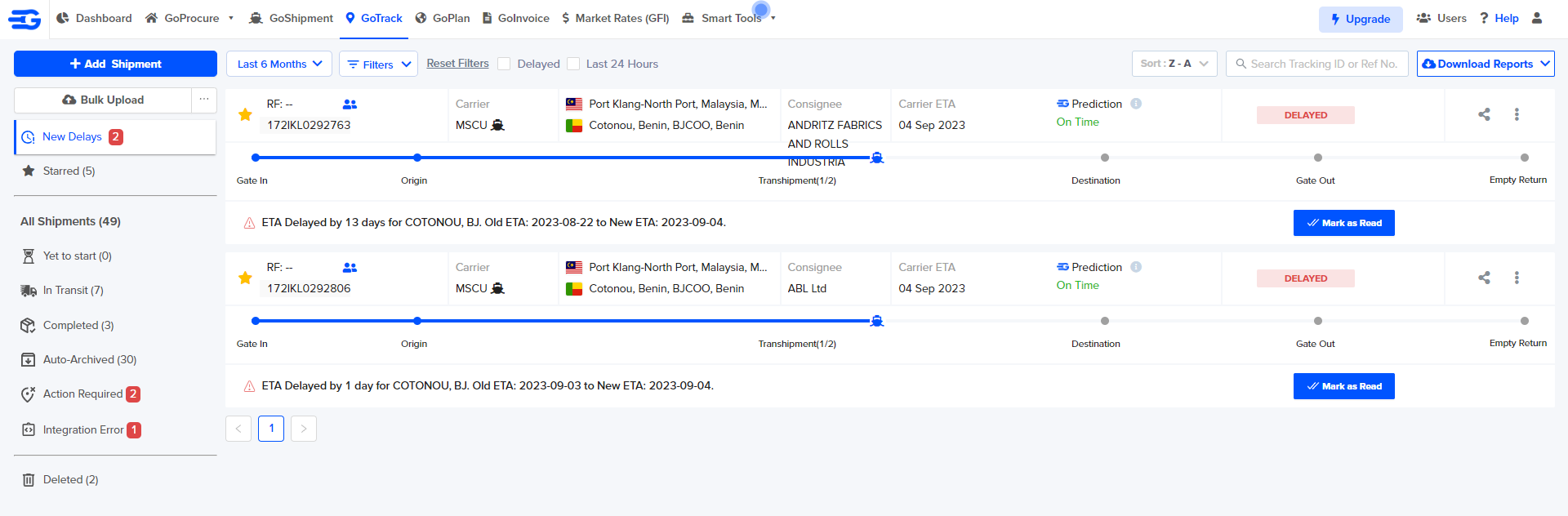
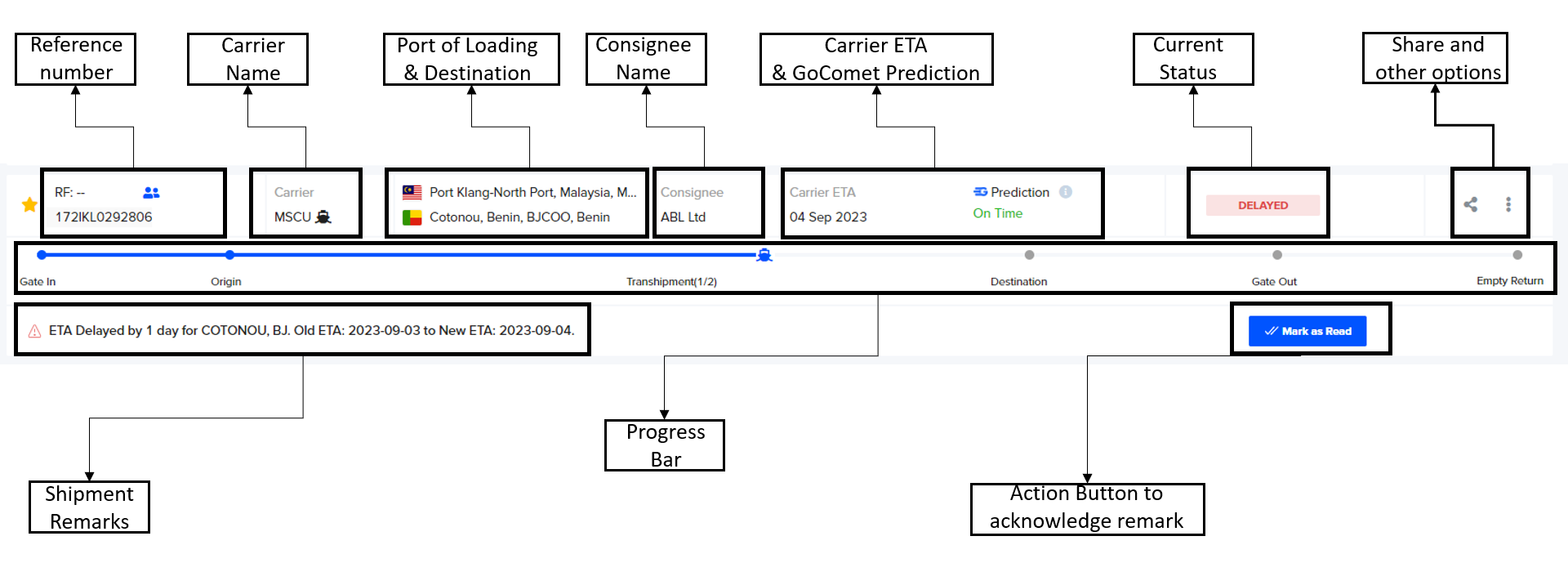
- Reference number is shown on the left top corner.
- POL and POD are show with the country flag.
- Abbreviated carrier name is shown.
- Arrival date show ETA.
- The status is shown on the extreme side.
If you click on “More” you can complete the following actions:
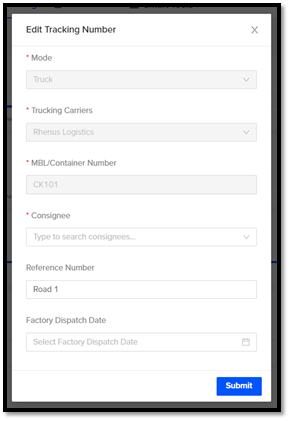
Edit – Edit helps in changing Consignee, Reference Number, Factory Dispatch date of that particular shipment.
Star Mark- Bookmark multiple shipments that you can view on priority
Delete - In order to delete any shipment.
Was this article helpful?
That’s Great!
Thank you for your feedback
Sorry! We couldn't be helpful
Thank you for your feedback
Feedback sent
We appreciate your effort and will try to fix the article